The Hudson River

Users who are viewing this thread

Kyle B

V.I.P User
Messages
4,721
Reaction score
1
Tokenz
0.03z
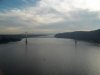
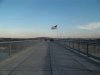
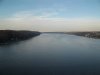
I walked over it today (not Jesus style, on a pedestrian bridge), and took some pics.
bridge NUMBER 5.jpgbridge NUMBER 2.jpgbridge NUMBER 3.jpgbridge NUMBER 4.jpg


First is going over the bridge itself, about halfway across. Second is the Hudson looking north. Third is looking south, where there's a regular vehicle bridge. Fourth is the other end of the pedestrian bridge. The bridge is over a mile long!
 
  • 15
    Replies
  • 340
    Views
  • 0
    Participant count
    Participants list

Peter Parka

Well-Known Member
Messages
42,387
Reaction score
3
Tokenz
0.12z
Great stuff! I especially like the first one, it has the USA flag flying and the silloettes of the people on the bridge could easily be soldiers, very atmospheric. :thumbup
 

Tuffdisc

Well-Known Member
Messages
10,024
Reaction score
1
Tokenz
20.23z
I walked over it today (not Jesus style, on a pedestrian bridge), and took some pics.
IMG_8108copy.jpggreattit0069copy.jpgchaffinch0058copy.jpgbluetit0063copy.jpg


First is going over the bridge itself, about halfway across. Second is the Hudson looking north. Third is looking south, where there's a regular vehicle bridge. Fourth is the other end of the pedestrian bridge. The bridge is over a mile long!
Yup, good stuff. Shame you didn't walk across the water Jesus style
 

Kyle B

V.I.P User
Messages
4,721
Reaction score
1
Tokenz
0.03z
Thanks.

Just so y'all know, the pictures were more clear originally, but they blurred a bit when I uploaded them.
 

purpledove

Seizing Life ♥
Messages
4,946
Reaction score
0
Tokenz
0.00z
Nice shots. I like the 2nd and 3rd shot.

I wonder actually what happens how come when I upload pics too- they become less clear :unsure:
 

Francis

Sarcasm is me :)
Messages
8,367
Reaction score
1
Tokenz
2.21z
Nice shots. I like the 2nd and 3rd shot.

I wonder actually what happens how come when I upload pics too- they become less clear :unsure:

What site do you use and is it a pro site or the free site ?

Some sites re-size the pictures from the original format to a more manageable version.. I wonder if this could be the cause ?
 

Kyle B

V.I.P User
Messages
4,721
Reaction score
1
Tokenz
0.03z
What site do you use and is it a pro site or the free site ?

Some sites re-size the pictures from the original format to a more manageable version.. I wonder if this could be the cause ?

I couldn't upload the pictures directly from my comp onto Otz because the files were too big. So I uploaded the pictures onto Flikr. When I tried to put the pictures into my post using the link, nothing happened. So I downloaded them back onto my computer and uploaded them onto Otz which worked because now they were a smaller size. I'm guessing that's where they got blurred.
 

Francis

Sarcasm is me :)
Messages
8,367
Reaction score
1
Tokenz
2.21z
I couldn't upload the pictures directly from my comp onto Otz because the files were too big. So I uploaded the pictures onto Flikr. When I tried to put the pictures into my post using the link, nothing happened. So I downloaded them back onto my computer and uploaded them onto Otz which worked because now they were a smaller size. I'm guessing that's where they got blurred.

A quick way to downsize a picture if that's ever a problem is to use Microsoft Windows email and resize the pictures for emailing.. When they are in the email you can save the picture without ever sending the email out and cancelling the draft copy..

Note, always change the name of the Photo so that your original never get's over written.. This way you have small email size copies and your original size, no matter if they were 18 MP or 12MP, on file.. It should keep a fairly good quality of the picture as well..

It's the fastest way to reformat a picture..
 

Kyle B

V.I.P User
Messages
4,721
Reaction score
1
Tokenz
0.03z
A quick way to downsize a picture if that's ever a problem is to use Microsoft Windows email and resize the pictures for emailing.. When they are in the email you can save the picture without ever sending the email out and cancelling the draft copy..

Note, always change the name of the Photo so that your original never get's over written.. This way you have small email size copies and your original size, no matter if they were 18 MP or 12MP, on file.. It should keep a fairly good quality of the picture as well..

It's the fastest way to reformat a picture..

Awesome! Thanks for that. I was sort of thinking something along the lines of compressing the files but remembered that when I had to do it at work it was all complicated and a lot of work.
 

Francis

Sarcasm is me :)
Messages
8,367
Reaction score
1
Tokenz
2.21z
Awesome! Thanks for that. I was sort of thinking something along the lines of compressing the files but remembered that when I had to do it at work it was all complicated and a lot of work.

I guess I better explain it better for those who never have done it..

You right click on the Photo in Windows and select
Send to:
Email Recipient
It will ask you to either keep the Photo at the same size, resize or make it smaller..

When you decide how big you want the photos ( usually I use large NOT original ) it will put it into the email program you have. Even if you don't use it, don't worry because all you will do is save each picture under a different name and then delete the email at the end..

Should the pictures still be too big start the process again but pick ( medium size ) this time..

Cheers
 

Kyle B

V.I.P User
Messages
4,721
Reaction score
1
Tokenz
0.03z
Thanks y'all.

Come to think of it, I should have gone in the Summer or Fall, it looks awesome then. eh well. lol
 
80,547Threads
2,194,779Messages
5,014Members
Back
Top